
BetXchange Verification
How BetXchange account verification works for South African players: documents, step-by-step upload, common rejections, fixes and myths explained.
In short
- BetXchange verification confirms who you are before you withdraw.
- Upload a valid ID and proof of address in your account, then wait for the review.
- If a file is rejected, resend a sharper, complete copy.
- If it stalls, contact live chat, which runs 8am to 6pm.
What BetXchange verification is for
Verification is the identity check that sits between a newly registered account and your first withdrawal. In South Africa it is linked to FICA, the Financial Intelligence Centre Act, which expects gambling operators to know who their customers are. In practice you prove three things: you are an adult, the name on the account is really yours, and you live where you say you do. Most players do it once and never think about it again.
The smartest moment to verify is right after you register, not when you are sitting on a win and want it in your bank account. Documents prepared calmly at home are far less likely to be rejected than a rushed photo taken on a bus. Verification has no effect on game odds, bonuses or the way slots and live tables behave. It is purely an account-safety step, and it protects you as much as the casino, because nobody else can cash out in your name.
Photo ID
A valid South African ID card, smart ID or passport. The full document should be visible, not expired, and the name should match your BetXchange profile.
Proof of address
A recent utility bill, bank statement or similar document showing your name and home address. Newer documents are accepted more easily than old ones.
Payment proof
If you deposit with a card or bank method, you may be asked to show that the account belongs to you. Hide any digits you do not need to share.
Matching details
Name, date of birth and address should read the same on the profile and on every document. Small spelling differences are the most common reason for a second request.
The exact list can vary from player to player, so always follow the request shown inside your account. Treat the list above as the typical set rather than a fixed rule.
Step by step: how to verify your account
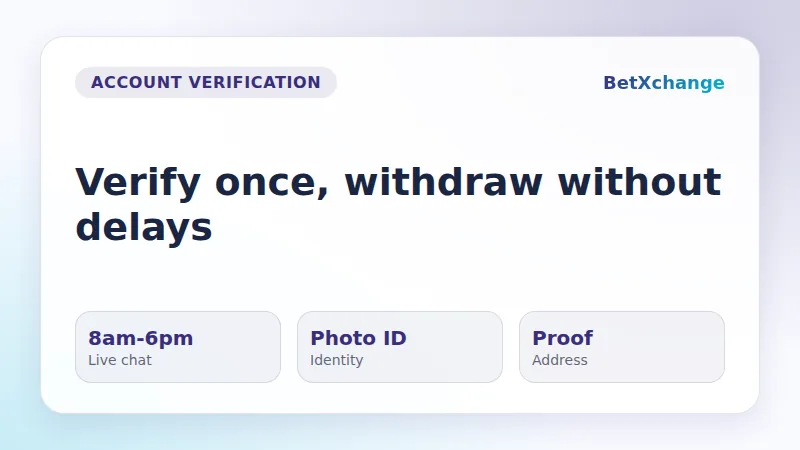
The process is short if everything is ready before you start. Set aside ten quiet minutes, put your documents on a flat surface in good light, and use the same device you normally play on. Menu names can differ slightly between the desktop and mobile versions of the site, but the order of actions stays the same.
-
1
Log in to your account
Open the BetXchange Casino home page and sign in with the details you registered with. Check that your name and address are filled in correctly.
-
2
Open your profile
Go to the account or profile area. Look for a section called verification, documents or account details.
-
3
Read what is requested
The page shows which documents are needed. Do not guess: upload only what the list asks for, in the order shown.
-
4
Photograph your ID
Place the ID on a plain, dark surface in daylight. Keep all four corners in frame and avoid flash glare over the photo and numbers.
-
5
Prepare proof of address
Use a clear scan or screenshot of a recent document. Your full name, address and the issue date must be readable.
-
6
Upload and preview
Attach each file and check the preview before sending. If any text is hard to read on screen, it will be hard to read for the reviewer too.
-
7
Submit and wait
Send the files and keep the page open until you see a confirmation. Review times vary, so submit well before you plan to withdraw.
Browse the key screens of the verification flow in order: login, profile, document upload and the confirmation message, so you know what to expect.
Using screenshots to get faster help
If something looks wrong during upload, a screenshot explains the problem faster than a long message. Support agents see exactly what you see, which means fewer follow-up questions and less back and forth. Take the screenshot at the moment the problem appears, because messages often disappear after a refresh.
- The full page, including the browser address bar, so the section you were on is clear.
- Any error or rejection message, with the wording fully visible.
- The upload preview showing the file name and document type.
- Your account status line, if the page shows one, before and after submitting.
- The date and time on your device, which helps the team find your attempt.
Never include your full card number, security code or passwords in a screenshot. Cover them before you send anything. Share screenshots only through the official chat or the Contact Us page, not through social media messages or third parties.
Common problems and quick fixes
Almost every failed verification falls into a short list of causes. The table below matches the typical symptom with the usual reason and the fix that normally works. Run through it before contacting support, since you can often solve the issue yourself in a few minutes.
| Problem | Usual cause | Fix |
|---|---|---|
| Blurry photo | Low light | Retake in daylight |
| Cropped corners | Tight framing | Show whole document |
| Name mismatch | Different spelling | Match account name |
| Old address proof | Outdated document | Send recent one |
| Expired ID | Past expiry date | Use valid ID |
| Upload fails | Large file | Reduce file size |
| No confirmation | Page closed early | Resubmit and wait |
Swipe to see all columns
Reading the table from left to right gives you the whole story. A name mismatch is the trickiest one, because the document looks perfect but the reviewer cannot link it to your profile. If your ID shows a middle name that your profile lacks, or the reverse, update the profile details through support rather than hoping the difference will be ignored.
A second frequent issue is a document that belongs to someone else, such as a parent's electricity bill or a partner's bank statement. Reviewers look for your own name on the proof. If bills are not in your name, ask your bank for a stamped statement instead, since it is usually the easiest document to obtain.
Technical problems are less common but real. Switching browsers, clearing the cache, or moving from mobile data to a stable Wi-Fi connection fixes most failed uploads. Turn off any browser extension that blocks pop-ups or scripts for the duration of the upload.
What to do if verification did not work
A rejection is not a ban and not a verdict on your account. It simply means one of the files could not be matched or read. The reviewer's note, when one is shown, tells you which document needs attention, so start there rather than resending everything.
-
1
Read the message
Note which document was rejected and why. Copy the wording or take a screenshot of it.
-
2
Fix that one file
Retake the photo or find a better document. Change only what the message points to.
-
3
Resubmit once
Upload the new file and wait for confirmation. Repeated uploads of the same file only slow things down.
-
4
Contact support
If nothing changes, write to the team through live chat, which is staffed from 8am to 6pm, or via the Contact Us page, with your screenshots attached.
-
5
Check back later
Return to the verification page after a reasonable wait and read any new status or message.
While you wait, it helps to know your cash-out options. Limits and processing rules for payouts are covered on the BetXchange Withdrawal Limits page, and it is worth reading before you request money, so your first withdrawal does not run into surprises.
While your documents are being reviewed
Waiting for a review does not have to be dull. Many players use the time to browse the game lobby, look at the studios behind the titles and plan what to play once the account is fully cleared. The studios below are among the names players often look for in online casinos.
| Studio | Popular games |
|---|---|
| Pragmatic Play | The Bingo Spot, Gameshow Party Jackpot Play, 3 Magic Eggs |
| Evolution | Red Baron Live, Red Baron RNG, American Roulette by Evolution |
| NetEnt | Big Money Wheel, Babylon Riches, Beach Invaders |
Myths and misconceptions about verification
Verification attracts plenty of rumours on forums and in group chats. Here are the ones South African players repeat most often, with the practical reality behind each of them. None of them survives a closer look, and knowing the facts saves you time when you prepare your documents.
It only applies to winners
Checks are tied to withdrawals and can come up earlier too. Verifying right after registration removes the stress of doing it when money is waiting.
Any photo will do
The reviewer needs to read every line. A dark, blurry or cropped photo gets sent back, even when the document itself is valid.
A second account fixes it
A new profile starts the same checks again and may cause extra questions. Solving the issue on the first account is almost always faster.
Support can skip the step
Agents can explain what is missing and guide you, but identity checks are part of normal account rules and are not switched off on request.
It changes my game odds
Verification has nothing to do with slots, live tables or bonuses. Game outcomes are unrelated to whether your documents are approved.
One rejection is final
A rejected file can be replaced. Most players are approved after correcting a single photo or document.
BetXchange verification FAQ
Do I have to verify my BetXchange account?
Yes, plan on it. South African operators are expected to identify their customers under FICA, so you should expect to confirm your identity before withdrawing. Completing it right after you sign up is the easiest approach, because you will not be delayed later when you want to cash out.
Which documents does BetXchange usually ask for?
Typically a valid photo ID such as a South African ID or passport, and proof of address like a recent utility bill or bank statement. You may also be asked to show that your payment method belongs to you. The exact list appears in your account, so follow it.
How long does verification take?
Review times vary and no fixed figure applies to every player. Clear, complete documents are usually handled faster than blurry or partial ones. Submit early, well before you plan to request a withdrawal, and keep the confirmation page or a screenshot of it.
Why was my document rejected?
The usual reasons are blur, glare, cut-off corners, an expired ID, an old address proof, or a name that does not match your profile. Read the message shown in your account, correct only the file it mentions and upload it again.
Can I use a screenshot instead of a photo of my ID?
Use a clear photo or scan of the physical document whenever you can. Screenshots of digital files work for proof of address such as an online bank statement, as long as your name, address and date are fully readable and nothing is cropped.
Who do I contact if verification is stuck?
Start with live chat, which runs from 8am to 6pm, or use the Contact Us page. Attach screenshots of the error or status so the team can see the problem straight away, and avoid sending full card numbers or passwords.
Is it safe to upload my ID?
Upload documents only inside your logged-in account or through the official support channels, never through social media or unknown links. Keep copies of what you sent and cover any card digits that are not needed. If you are unsure about a request, ask support to confirm it.
Ready to Join BetXchange Casino?
Create your account, pick up your welcome offer and start playing at BetXchange Casino. Play responsibly.
18+ only. Gambling involves risk. Terms and conditions apply. Play responsibly. If gambling is affecting you, contact the NRGP at responsiblegambling.org.za.
Written by Rachel Green
Mobile Gaming Expert • 5+ years mobile reviews
The facts on this page were checked against the BetXchange site and its terms on the date above. Last verified: Nov 06, 2026